
Product Photography
We shoot white-background, detail and lifestyle photos in the sizes marketplaces require. Each product gets sets for ads, the catalog and the product page.
Ecommerce
For brands that sell from their own store: profit-focused advertising, lasting organic traffic and digital marketing that brings repeat sales.
Get a Quote30 minutes · Free · Not a sales call
Brands we've worked with



Growth Built for Ecommerce Brands
Free analysis
We review your business and competitors, then get back to you within 1 business day.
Sound familiar?
When we talk to ecommerce owners, we hear the same complaints again and again. The light boxes show the problem; the dark boxes show how we solve it.
We spend more on ads than the ads bring back in sales.
We look at how much profit each product actually makes and send the budget only to the products that earn it back.
Lots of people visit and add to cart, then leave without buying.
We show shipping cost, delivery time and the return policy clearly on the product page to remove the hesitation.
When we search for our product on Google, marketplaces like Amazon show up instead of us.
We rebuild your product and category pages around the words people actually search for.
We look at your product catalog and your current ad account, then give you a realistic budget range and a 90-day priority list. The call is free.
Scope of work · Illustrative examples
Here is every step of the work, shown the way it will look for your business: first the site your customers land on, then how you appear on Google and Instagram, and finally how we measure which ad brings in customers.
01Step 1
Whoever clicks an ad or a search result lands on your site first. We build pages that load fast on a phone and show your services, pricing logic and contact options on the first screen.

Natural products, delivered to your door
Products picked from the producer, with secure payment and fast shipping.
Start ShoppingSecure payment
Fast shipping
Easy returns
02Step 2
We show up for people already searching for your service, at the moment they search. Campaigns are split by search intent, and ad copy only uses facts verified on your site.
Sponsored
Cold-Pressed Olive Oil | Direct from the Producer
Olive oils picked by harvest. Secure payment, fast shipping and easy returns.
Olive OilHoneyCart
Sponsored
Natural Products Online | Meadow Basket
Honey, cheese, olives and pantry goods. Order products picked from the producer online.
New ArrivalsCategories
Sponsored
Meadow Basket
Online store · Ships nationwide
Orders open 24/7
03Step 3
We show your business to people nearby or interested who aren't searching yet. Vertical video, single image and carousel ads are tested together; the winners get scaled.

This season's harvest is here
Limited quantities, direct from the producer.
Shop Now
Order in three steps
Secure payment by card or on delivery.
Start Shopping
Order today, at your door soon
Orders ship the same day.
See Products04Step 4
The work starts with measurement so no ad spend goes to a result nobody can see. Every step from search to customer is tracked, and the budget grows with real demand, not guesses.
Images and copy are illustrative examples; the brand name is made up. The real work uses your own photos, prices and details.
Request This Plan for My BusinessPackages
We don’t list prices, because in ecommerce the budget depends on the number of products, average order value and how competitive your category is. We decide together on the call which package fits you.
For new stores, or stores just starting with ads
For stores already getting regular sales from ads and ready to scale
For brands with large catalogs selling across many channels
Photo · Content · Social Media
Online shoppers can’t touch the product; they decide from photos and video. We plan product shoots together with your ad creative and your product page conversion.
We shoot white-background, detail and lifestyle photos in the sizes marketplaces require. Each product gets sets for ads, the catalog and the product page.
We produce short videos about real experiences: unboxing and product in use, rather than “before and after” claims. A steady supply of new videos keeps Meta and TikTok ads from going stale.
We tie new products, promotions and sale periods to a content calendar. With Instagram Shopping and catalog tags, posts link straight to the product page.
For every campaign we build creative variations with different angles and messages. The ad data shows which one drives sales, and the budget shifts to the winner.
Industry know-how
Applying one return-on-ad-spend target to the whole catalog means losing money on low-margin products and missing opportunities on high-margin ones. We group products by margin and performance and give each group its own target, so what grows is the profit you keep, not just the revenue from ads.
In Google Shopping and Performance Max you don’t write the ad copy; your product title, image and price are the ad. Rewriting titles in the language people search with, filling in missing fields and cleaning up broken products makes a clear difference in most accounts on the same budget.
The ad cost of the first sale often eats most of its profit. Getting the same customer to buy a second and third time costs almost nothing. That’s why email flows, loyalty programs and post-purchase communication matter as much as ads.
Browser restrictions and cookie blockers mean many stores can’t attribute a large share of their sales to ads. Budget decisions made without server-side tracking and a correct conversion setup can shut down the very campaign that was working.
Process
A 30-minute phone call about your catalog, your goals and your current ad account. It isn’t a sales call; it’s a conversation about what needs to be done.
We review your ad account, product data, site speed and checkout steps, and map where competitors stand in ads and organic search. You see where you’re losing money.
You get the priority channel, a monthly budget range, the technical fixes and the campaign structure in writing. It’s clear what happens in which month.
Campaigns go live, the product feed is fixed and tracking is connected. Every month you get one report with the work done, the results and next month’s plan.
What do we do?
We don’t launch everything at once. We set priorities based on your catalog, average order value and goals, and start the budget on the channel that pays back fastest.
A lasting sales channel that doesn’t stop when the ads do.
Showing up at the exact moment a product is searched.
Reaching people who aren’t searching but will buy.
More sales from the same traffic.
Triggers the second order automatically.
Knowing which ad drives sales.
Free analysis
Fill out the form and we'll review your site, your competitors and the search demand in your industry, then call you within 1 business day. The call takes 30 minutes, it's free, and it isn't a sales call.
This isn't a sales call. We won't say “yes” to work that isn't a good fit for you; we'll tell you so plainly on the call.
S.S.S.
Ecommerce Knowledge Center
The six questions ecommerce owners ask us most, answered from hands-on experience. Each heading matches a question people actually search for.
SEO
Ecommerce SEO starts with category architecture, not blog posts. A shopper searches for “men’s leather jacket”, but on your site the product is called “Model 4471 Black”; as long as the search language and the product language don’t match, the page won’t show up. The first job is to find the category and subcategory names that have search volume and build the site structure on top of them.
The second issue is filter and variant pages. Color, size and price filters create thousands of URLs; left unchecked, Google spends its crawl budget on these low-value pages and your main category pages fall behind. Deciding which filter combinations get indexed and which are blocked, and setting canonical tags correctly, brings a significant gain on its own for most sites.
The third is the product page template. Writing thousands of products by hand isn’t realistic, but if you get the title structure, description template and structured data (price, stock, reviews) right, the whole catalog improves at once. Products that drive revenue are then enriched by hand. Finally, pages for out-of-stock products shouldn’t be deleted: permanently discontinued products should redirect to the closest category, and temporarily sold-out ones should stay live with an “out of stock” notice. Otherwise the ranking strength they built up is wasted.
Google Shopping
In Google Shopping you don’t write the ad copy; your product data is the ad. Title, image, price and product category decide which searches you appear in and whether you get the click. That’s why optimization starts with the product data, before campaign settings.
Product titles should be rewritten in the language people search with: brand, product type, key attribute and variant details belong in the first characters. Missing fields (GTIN, brand, color, size) should be filled in and disapproved products fixed. Image quality directly affects click-through rate; a sharp product image on a white background works best in most categories.
On the campaign side, the biggest gain comes from grouping products correctly. Keeping the whole catalog in one campaign piles the budget onto a few bestsellers while the rest never show. Splitting products into groups by margin and performance and giving each group its own target sends ad spend where it earns profit. The negative keyword list should be updated regularly too; irrelevant searches quietly drain the budget. Price is part of the competition as well: competitors selling the same product appear side by side in Google Shopping results, so on products where the price gap is wide, cutting the budget is often the more profitable move.
Conversion
What makes people abandon a cart is usually not the price but a surprise at the last step. When shoppers hit an unexpected shipping fee, a long delivery time or a forced sign-up screen at checkout, they give up. The most effective fix is to show this information on the product page, right next to the price.
Checkout should be as short as possible. A guest checkout option, address autofill, payment options such as buy now, pay later shown upfront, and a one-page checkout noticeably reduce abandonment. For mobile shoppers, large, easy-to-tap form fields matter too; most ecommerce traffic now comes from phones.
Trust signals are decisive at the moment of purchase: secure payment badges, a clear return policy, real customer reviews and visible customer service details. Reminder emails and remarketing ads sent to shoppers who abandoned their cart win back part of the lost sales; repeating the trust information in these reminders usually works better than leading with a discount. To see where the biggest drop-off happens, every step of the checkout funnel should be tracked separately; changes made without knowing whether the problem is in the cart, the address form or the payment screen are just guesses.
Meta Ads
Meta ads are the strongest way to reach people who aren’t searching for your product but will buy it. On Google the shopper is already looking for something; on Instagram you have to catch their attention in the first second. That’s why nearly all of the success on Meta comes down to creative, meaning the image and the video.
The creatives that work best usually show the product in use: short videos of a real person using it, before-and-after stories, content that puts customer reviews front and center. Creatives should be chosen by testing, not guesswork; each round a few variations go live, the winner is scaled and the losers are switched off.
The real efficiency is in remarketing. Catching a visitor who looked at a product but didn’t buy, with a catalog ad showing exactly that product, brings sales at a much lower cost than new-customer campaigns. Splitting audiences by behavior matters: people who viewed a product, added it to cart or bought it shouldn’t all see the same message. Announcing new products to existing customers should also run as a separate, low-cost campaign. Finally, keep an eye on the comments under your ads: questions about shipping, sizing and returns pile up there, and every unanswered comment is paid-for interest lost before it turns into a sale.
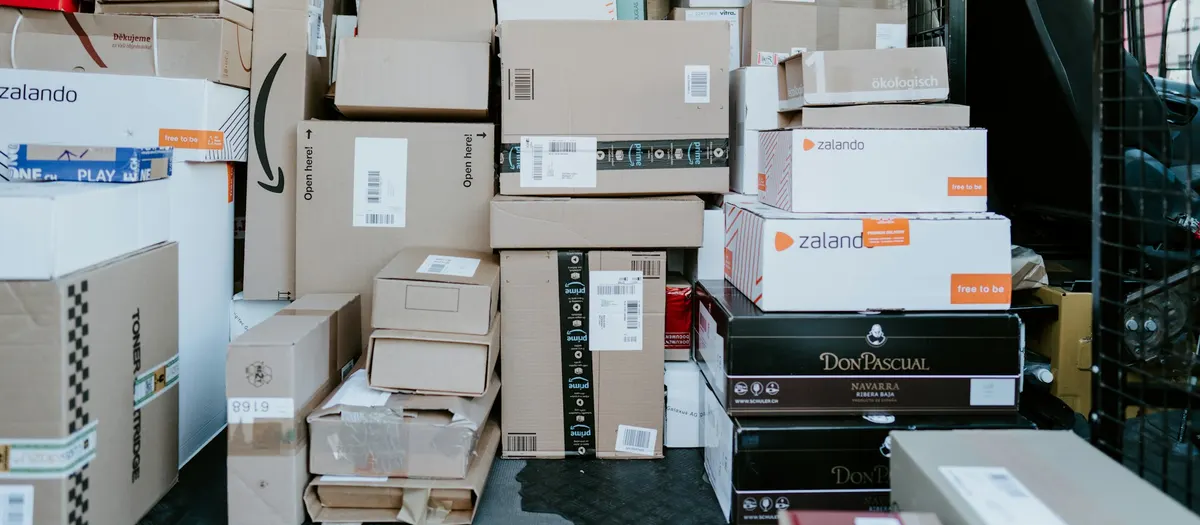
Winning a new customer costs far more than selling again to an existing one. The ad cost of the first order often eats most of its profit, while the second and third orders cost almost nothing. That’s why most growing ecommerce brands get a large share of their revenue from existing customers.
The main tool for this is automated email flows. A welcome series nudges new subscribers toward their first purchase; a post-purchase flow explains how to use the product and raises satisfaction; a replenishment reminder arrives at the right time for consumable products. Win-back campaigns for customers who haven’t bought in a long time should be set up separately as well.
Segmentation multiplies the impact of these flows. Frequent buyers, high spenders and long-inactive customers shouldn’t get the same email. Recommending products based on purchase history converts far better than sending everyone the same campaign. The effect of all this is measured by customer lifetime value: the total profit a customer brings over the whole relationship is the number that decides how far you can raise your ad budget. A brand that knows this number can comfortably pay an acquisition cost its competitor would find unprofitable.
Tracking
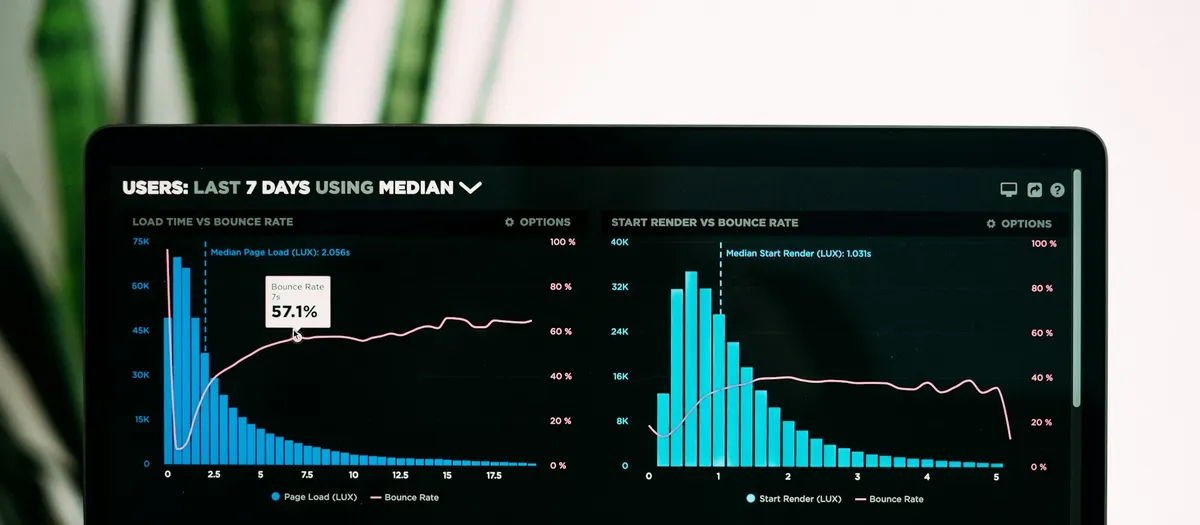
Wrong tracking means wrong decisions. On many ecommerce sites a large share of sales can’t be attributed to ads: browser privacy restrictions, cookie blockers and shoppers switching devices make the ad platform show fewer sales than actually happened. A campaign that works then looks like a failure and gets shut down for no reason.
The first step of a correct setup is sending the purchase event complete with order value, product details and order ID. The second is server-side tracking: Meta Conversions API and Google’s enhanced conversions send sales data directly, independent of the browser, and recover much of the lost data.
The third step is reporting on profit instead of revenue. The return on ad spend the ad platform shows ignores returned orders, shipping costs and product costs. To see real profitability, compare ad spend with net profit per order. In the same way, looking only at the last click undervalues the channels that brought the customer in the first time; assessing each channel’s contribution to sales together leads to a better budget split. Once the setup is done, check it regularly with test orders; a theme update or a payment provider change can quietly break tracking.
↕ Scroll up / down to read every section.
Ad efficiency, organic traffic or repeat sales: which should come first? We’ll be clear about it on the call.
Book a free intro call30 minutes · Free · Not a sales call
Work in a different industry? Visit our industries page for more.