
Store and Window Display Shoots
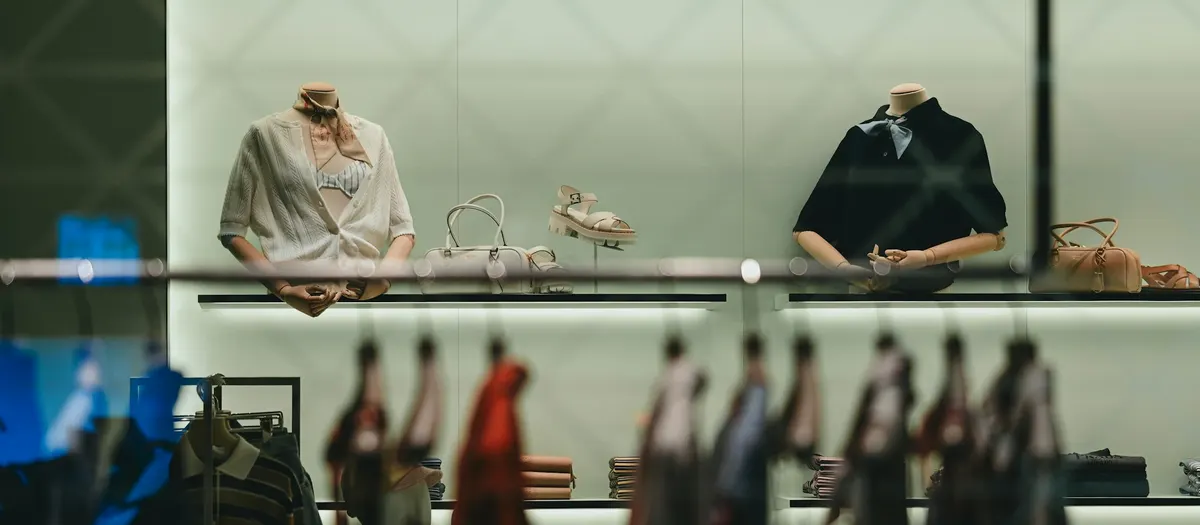
We shoot each location’s window display, interior layout and checkout area to give you up-to-date images for your Google Business Profile and website.
Retail
For retail chains, dealer networks and retailers: digital marketing that brings customers from online into your stores and grows both channels together.
Get a Quote30 minutes · Free · Not a sales call
Growth Built for Retail
Free analysis
We review your business and competitors, then get back to you within 1 business day.
Sound familiar?
When we talk to store owners and retail brands, we hear the same complaints again and again. The light boxes show the problem; the dark boxes show how we solve it.
We don’t know whether our ads bring customers into the store.
We measure direction requests, calls and store visits and connect them to your ads.
Our stores rank behind competitors on the map.
We manage each store so it stands out on searches in its own neighborhood.
Online and the stores work in isolation.
We show accurate stock and store information to people who see a product online and want to buy it in the store.
We look at your number of stores, your regions and your current channels, then give you a realistic budget range and a 90-day priority list. The call is free.
Scope of work · Illustrative examples
Here is every step of the work, shown the way it will look for your business: first the site your customers land on, then how you appear on Google and Instagram, and finally how we measure which ad brings in customers.
01Step 1
Whoever clicks an ad or a search result lands on your site first. We build pages that load fast on a phone and show your services, pricing logic and contact options on the first screen.
Kitchen and home goods in one store
Buy in store or order online. Find the location closest to you.
Find a StoreIn-store pickup
Online ordering
Stock by location
02Step 2
We show up for people already searching for your service, at the moment they search. Campaigns are split by search intent, and ad copy only uses facts verified on your site.
Sponsored
Home Goods Store | Hearth & Home
Kitchen, bath and home organization products. See your nearest location and its opening hours.
StoresProductsDirections
Sponsored
Order Online, Pick Up in Store | Hearth & Home
Choose a product online and pick it up at the location that suits you.
Order OnlineContact
Sponsored
Hearth & Home Goods
Home goods store · Shopping Center, Main St
Open · Closes 9 PM
03Step 3
We show your business to people nearby or interested who aren't searching yet. Vertical video, single image and carousel ads are tested together; the winners get scaled.
The new season is on the shelves
Kitchen and home organization products.
Find a Store
Choose, come, collect
Order online, pick up in store.
Order Now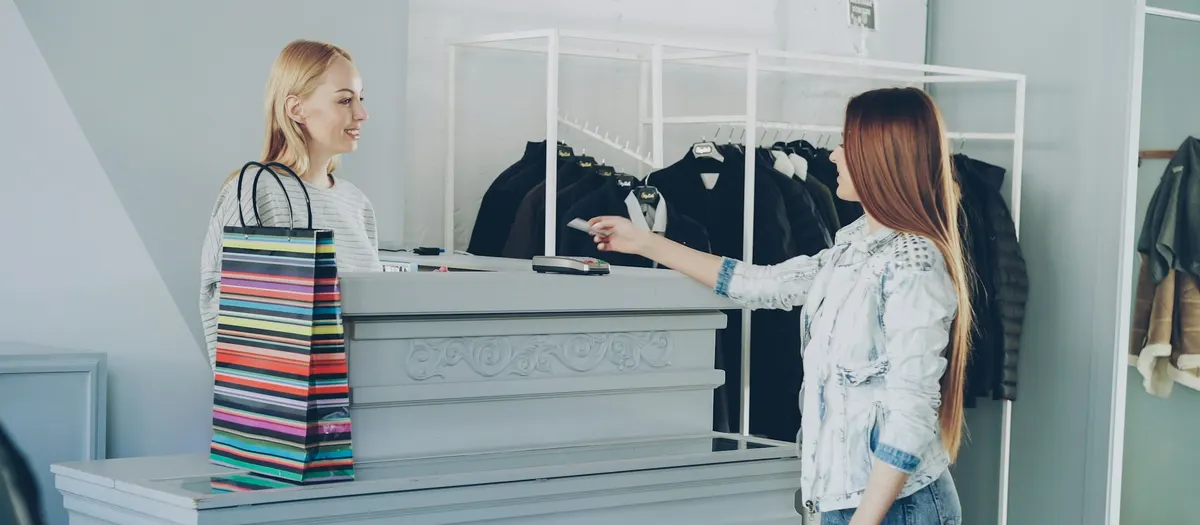
Pay without waiting in line
Fast checkout and contactless payment.
Get Directions04Step 4
The work starts with measurement so no ad spend goes to a result nobody can see. Every step from search to customer is tracked, and the budget grows with real demand, not guesses.
Images and copy are illustrative examples; the brand name is made up. The real work uses your own photos, prices and details.
Request This Plan for My BusinessPackages
We don’t list prices, because in this industry the budget depends on the number of stores, your product range and how competitive your regions are. We decide together on the call which package fits you.
For retailers with one location
For brands with several stores or dealers
For brands that sell both in stores and online
Photo · Content · Social Media
In retail, online visibility has to turn into store traffic. Content that shows your windows, products and promotions brings customers to your door from both social media and your Google profile.
We shoot each location’s window display, interior layout and checkout area to give you up-to-date images for your Google Business Profile and website.
We shoot seasonal and promotional products in ad and social media formats, so every location uses the same creative language.
Short videos that show new arrivals and the in-store experience reach the explore feed with a “come visit us” call to action.
A content plan tied to your promotion calendar, location announcements and message management, all run by one team.
Industry know-how
Many customers look on their phone before they come in: where the store is, whether it’s open, whether it has what they want. A store that doesn’t show up in these searches is left with walk-by traffic. That’s why map visibility is retail’s storefront.
Judging ads only by online orders means never counting the customers who go to the store. For many retailers, the real effect of advertising shows up in the store. When direction requests, calls and store visits aren’t measured, campaigns that work get shut down.
Every store in a chain has different competitors, a different customer profile and different search behavior. Running all stores with one campaign and one page sends too much budget to strong stores and too little to weak ones. Store-level management fixes that imbalance.
Bringing back a customer who has already been to your store costs far less than finding a new one. But most retailers don’t know their customers. Collecting contact details with permission at checkout is the start of a visit channel that doesn’t depend on your ad budget.
Process
A 30-minute phone call about your number of stores, your product range, your regions and your current channels. It isn’t a sales call; it’s a conversation about what needs to be done.
We map each store’s map visibility and reviews, your ad account and where competitors stand in each area. You see which store is losing where.
You get the priority stores, a monthly budget range, the tracking setup and the content plan in writing. It’s clear what happens in which month.
Profiles are cleaned up, campaigns go live and visit and sales tracking is connected. Every month you get one report with the work done, results by store and next month’s plan.
What do we do?
We don’t launch everything at once. We set priorities based on your store setup, your regions and your goals, and start the budget on the channel that pays back fastest.
Every store in its own neighborhood.
Showing which store has the product.
Growing demand.
Connecting both channels.
Bringing back the customer at your register.
Seeing the effect of ads in the store.
Free analysis
Fill out the form and we'll review your site, your competitors and the search demand in your industry, then call you within 1 business day. The call takes 30 minutes, it's free, and it isn't a sales call.
This isn't a sales call. We won't say “yes” to work that isn't a good fit for you; we'll tell you so plainly on the call.
S.S.S.
Retail Knowledge Center
The six questions store owners and retail brands ask us most, answered from hands-on experience. Each heading matches a question people actually search for.
Map SEO
In retail, the last step before a customer comes to the store is usually a map search. That’s where they find out where the store is, whether it’s open and whether it has what they’re looking for. A store that doesn’t show up in the map results is left with only the people who walk past.
The most common problem in chains is that every store is managed from one central place, all the same and with incomplete information. Each store’s profile should be managed separately, with the right category, current opening hours, its own photos and its own contact details. Not updating holiday and special-day hours is a common mistake that leaves customers facing a closed door and turns into negative reviews.
A separate location page on your website for each store supports map visibility. That page should include the address, directions, opening hours, the product groups the store carries and any store-specific services. A page that lists every store in one place doesn’t match neighborhood searches.
Reviews should be collected store by store too. It isn’t the chain’s overall rating but each store’s own rating that decides a customer’s choice in that neighborhood. Getting store staff into the habit of asking for reviews, and replying to negative reviews consistently from the center, balances visibility across the chain.
Measurement
The criticism retailers most often make of digital advertising is that they can’t see whether it works. That criticism usually comes from measurement that looks only at online sales. If the real effect of advertising happens in the store, a report that only looks at online orders never shows it.
The first layer of measurement is intent to visit. Direction requests on your map profiles, calls to the store and use of the store locator on your website are signals that someone means to go to the store. When these signals are connected to campaigns, you start to see which ad led to a visit.
The second layer is the store visit measurement that ad platforms offer. When certain requirements are met, the platforms estimate statistically whether people who saw an ad visited the store. This data isn’t an exact count, but it gives a strong direction for comparing campaigns.
The third layer is the register. Campaign-specific codes, matching against your permission-based customer list and comparing in-store sales during campaigns with earlier periods make digital’s effect on store revenue concrete. Used together, the three layers produce a reliable picture none of them could give alone. That picture takes decisions about which store and which campaign the budget should move to out of guesswork and grounds them in data.
Inventory
Shoppers more and more often search for a product near them: they want to find a specific item today, in a store they can get to. Behind these searches is a ready intent to buy, and the shopper goes to the first store where they find the product. Local inventory ads target exactly that moment.
With this ad format, the stock information from your stores is sent to the ad system. When someone searches for a product, the ad shows which nearby store has it, the price and how far away the store is. The shopper knows the product is there before they come in, which removes the worry of a wasted trip.
The precondition for setting this up is clean data. Products must be identified correctly, and store stock must be sent regularly and kept current. A product that shows as in stock but isn’t on the shelf brings a customer to the store only to send them away disappointed, and it turns into a negative review.
Once set up correctly, these ads can be managed store by store. You can push a product at the store with excess stock, give more budget to a newly opened store, or highlight certain product groups in certain regions. That flexibility creates an efficiency one-size-fits-all campaigns can’t deliver.
Online + In-Store
At many retailers, online and the stores are run by separate teams, with separate goals and separate budgets. In that setup the two channels see each other as rivals and try to pull the customer their way. But customers don’t think in channels: they research a product online, try it in the store, then buy wherever is easier.
The first step to connecting the two channels is showing store stock on the product page. A shopper who has looked at a product online but wants to see it or buy it right away goes to the store once they know which one has it. Without that information, they either put off the order or go to a competitor who definitely has the product.
The second step is in-store pickup for online orders. It gives shoppers who don’t want to wait for shipping a fast option, and it gives the store an extra visit; the extra purchases made during that visit often add up to a serious revenue line. Accepting returns in store also reduces the hesitation around buying online.
The third step is combining measurement. Success should be judged by customer, not by channel. A customer who comes from an online ad and buys in the store is a shared win for both channels. When teams are judged by that shared measure, a structure where they feed each other forms on its own.

Sale Seasons
In retail, certain times of year produce a large share of revenue. They’re also when advertising costs are highest, because every competitor is trying to reach the same audience at the same time. Going into a sale season unprepared ends in a small share at a high cost.
Preparation starts weeks before the season. Building an audience from people who visit your website and stores ahead of the sale lets you reach that audience first once the season starts. This audience converts at a much lower cost than new customers and is the group least affected by the heavy competition of the season.
Messages and creatives should be prepared in advance too. Visuals produced after the season has started go live without a chance to be tested. Trying a few variations on a limited budget beforehand lets you send the budget to the best-performing message during the season.
The time outside sale seasons matters as much as the sales themselves. A retailer that discounts constantly trains customers to wait for discounts and struggles to sell at full price. New product and season announcements, in-store events and regular communication with your customer list keep visits flowing outside sale periods too.
Loyalty
Most retailers don’t know their customers, even though hundreds of them pass through the store every day. They pay at the register, walk out and can never be reached again. That means the customer list, which could be the business’s most valuable asset, walks out the door every day.
The first step is collecting contact details with permission at checkout. Give customers a concrete reason: a digital receipt, warranty tracking, loyalty points or a small perk on their next purchase. When the reason is clear, customers are much more willing to share their details. A clear privacy notice and the customer’s consent should be in place at this step too.
The second step is segmenting the list. Frequent customers, customers who haven’t been back in a long time and big spenders shouldn’t get the same message. Communication based on the product group someone bought brings a clearly higher response than general announcements.
The third step is timing. A special invitation to a customer who hasn’t been back in a while, an announcement of the relevant product group when the season changes or a suggestion for a complementary product triggers a repeat visit. In most retail businesses this is the fastest gain you can get without spending more, because these customers have already chosen your store once.
↕ Scroll up / down to read every section.
Store visits, online sales or repeat customers: which should come first? We’ll be clear about it on the call.
Book a free intro call30 minutes · Free · Not a sales call
Work in a different industry? Visit our industries page for more.